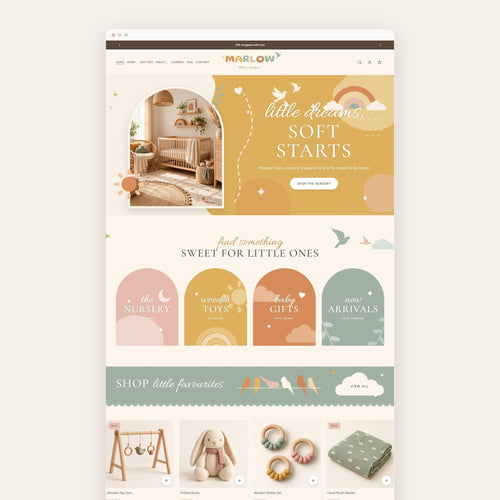


Glossy Highlight Covers
A set of 12 Instagram highlight covers for press-on nail, nail art and beauty shops, designed to match the GLOSSY Shopify theme.
- ✿Instant download, straight to your inbox
- ✿Edit in Canva, a free account is all you need
- ✿Designed to match your Honey Bloom website
The details
A set of 12 Instagram highlight covers for press-on nail, nail art and beauty shops, designed to match the GLOSSY Shopify theme. Edit them in Canva and give your profile the same pink and cherry look as your website.
What's included
- 12 covers: shop, new, bestsellers, nail sets, sizing, how to, care, reviews, shipping, FAQs, about and gloss club
- A hand-drawn illustration on each cover: cherries, champagne flute, heart lollipop, nail painting, thumbs up, hands, nail polish, finger hearts, envelope, checkered 8-ball, robe and sunglasses, champagne tower
- An editable Canva template link
- 12 ready-to-upload PNG covers
- 12 recolourable SVG drawings
Make it yours
- Change every colour to match your brand: background, dots, circle and drawing are each on their own layer
- Try sage, navy, lilac, black and gold, or your exact brand colours
- Duplicate a cover to make more highlights
Good to know
- This is a digital download. Nothing will be shipped.
- Right after purchase you'll get a PDF with your Canva template link.
- A free Canva account is all you need.
- Each cover is 1080 x 1920 px.
- Made to match the GLOSSY Shopify theme.

Get the Glossy website too
This design comes from the Glossy Shopify theme, so your website, socials and printables all match.
- Animated From Top to Bottom
- Build Your Own Set
- Shop by Shape
How it works
- one
Purchase
Check out and get your download link right away.
- two
Open in Canva
Click the link in your download to open your own copy in Canva.
- three
Make it yours
Change the words, colours, photos and fonts to match your brand.
- four
Post or print
Download your designs and share them on Instagram, or print them at home or at a print shop.
What do I get when I buy the Glossy Highlight Covers?
You get instant access to the Glossy Highlight Covers as an editable Canva template, plus a PDF with your template link and simple instructions. Everything included is listed in the description above.
How do I edit the Glossy Highlight Covers in Canva?
Open the Canva link in your download and click Use template. A copy is saved to your own Canva account, where you can change the words, colours, photos and fonts.
Do I need Canva Pro to use the Glossy Highlight Covers?
No. You can edit the Glossy Highlight Covers with a free Canva account.
Can I change the colours of the Glossy Highlight Covers to match my brand?
Yes. Every colour, font and photo in the Glossy Highlight Covers can be changed in Canva, so it fits your brand exactly.
Can I print the Glossy Highlight Covers or post it on Instagram?
Yes. From Canva you can download PNG or JPG files to post on Instagram, or a print-ready PDF to print at home or at a print shop.
Does the Glossy Highlight Covers match a Honey Bloom website template?
Yes. Honey Bloom brand kits are designed in the same colours and style as their matching website template. You can also use the Glossy Highlight Covers on its own, with any website.
Can I use the hand-drawn doodles in the Glossy Highlight Covers for my business?
Yes. The hand-drawn doodles that come with the Glossy Highlight Covers are yours to use for your own brand.
Where do I find my download after I buy the Glossy Highlight Covers?
Your download link appears on the order confirmation page right after checkout, and Honey Bloom also sends it to your email. If you can't find it, check your spam folder or contact Honey Bloom and we'll resend it.
You might also love




Studio mail · Free
Club Bloom
Your free website launch checklist, then one letter a month from the studio: new templates, behind the scenes and a few good ideas.
One letter a month. Unsubscribe anytime.