


Fall Fox Birthday Invitation Template | Editable Canva Woodland Invite
Description
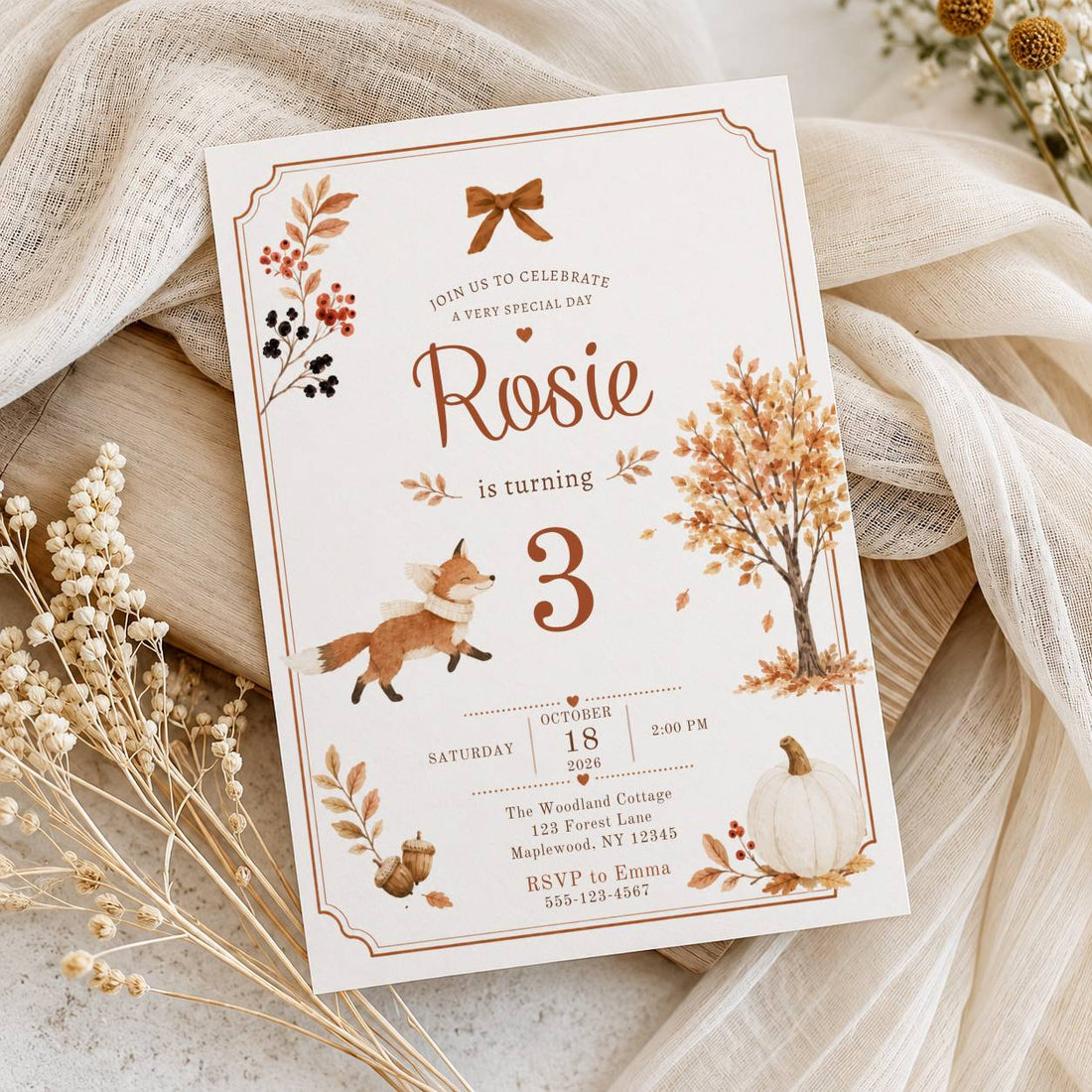
Celebrate in cozy autumn style with this Fall Fox birthday invitation template, featuring woodland-inspired illustrations, warm fall colors and a charming fox design.
Edit the invitation easily in Canva, add your party details and download a polished invitation to print or share digitally.
Instant download -Available right after purchase
Easy to customize -Personalize in Canva with no design experience needed.
Easy to use -Print and celebrate instantly
A little more personal from the start
A celebration that feels like them.
A birthday is a reason to bring favorite people together. Start with an invitation that suits the celebration, add the party details and make one more part of the planning feel settled.
- Printable card template
- Edit in Canva
- 5 × 7 inches
Know exactly what you are choosing
Your invitation, clearly explained.
A ready-designed card with room for your own party details.
One Canva invitation template
A PDF access file containing the link to your editable invitation template.
5 × 7 inches
Printable invitation card. A separate mobile-size invitation or invitation website is not included.
Your words and details
Edit wording, fonts, text size, text color and text placement. Add, remove or duplicate text boxes. Artwork, backgrounds and illustrations are fixed.
Digital template only. Printed cards, envelopes and decorations are not included. Printing is arranged separately.
One less thing to start from scratch
The design is ready. Just add your details.
Open your template
Download your PDF access file after purchase and follow the template link to Canva.
Make it personal
Add the name, party date, location and RSVP information. Check the spelling and details before downloading.
Download and print
Download your finished card as PDF Print, then print at home or through your chosen print shop.
From your screen to their envelope
Ready to print with confidence.
Choose your paper and quantity, then start with a test copy. Your print shop can confirm the file settings it needs.
Read our guide to printing Canva invitations at home (opens in a new tab)Before printing the whole batch
- Check the included card size and your printer’s paper settings.
- Ask your print shop whether it needs bleed or crop marks.
- Check names, dates, addresses and RSVP information.
- Print one test copy before printing the rest.
Printed colors may vary with paper, ink, printer and screen settings.
A few things before you choose
Your questions, answered.
Do I need Canva Pro?
No. This template works with a free Canva account. You can also use Canva Pro.
What can I edit?
Edit wording, fonts, text size, text color and text placement. Add, remove or duplicate text boxes. Artwork, backgrounds and illustrations are fixed.
Can I use it for a different age?
Editable age text can be changed, but age-specific wording or numbers that are part of the fixed artwork cannot. Ask Honey Bloom before ordering if you are unsure whether this design suits another birthday.
Can I edit and download it again?
Yes. Return to your template to update the details and download a revised version. Edits and downloads are for personal use.
What file formats can I download?
Export your finished card as PDF, JPG or PNG. For printing, choose PDF Print and check your printer’s requirements. These exports use the included card size; a separate mobile layout is not included.
Will anything arrive in the mail?
No. You receive digital access to the Canva card template. You arrange printing if you want physical invitations.
What if I need help?
Contact Honey Bloom with the product name and your question. Please review our refund policy before purchasing.
For personal use only.
A theme you love and details that are yours
Found your birthday theme?
Make it personal with a name, a date and an invitation to celebrate.
Choose this invitation ↑5 × 7 inches · Canva card template · Printing arranged separately