
How to Choose a Shopify Theme for a Skincare Brand
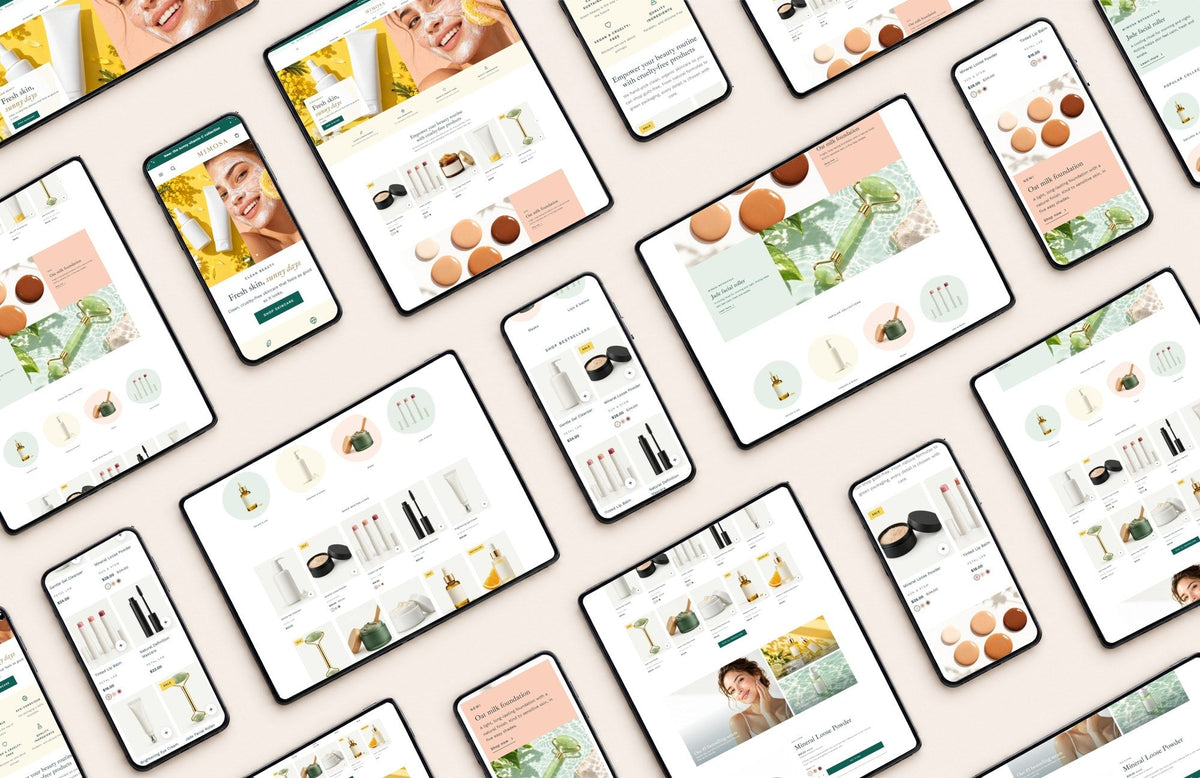
A skincare shop has a job most stores don't: it has to earn trust before anyone can touch, smell or try the product. The right Shopify theme does a lot of that work for you. Here's what to look for, and how to test a theme in ten minutes before you buy.
Look for a theme built around the product page. Shade swatches, a place for ingredients and "how to use" steps, and room for reviews matter more than a flashy homepage.
Then check the basics: clean, bright product photos, a fast mobile layout, and simple ways to offer a first-order discount or free shipping.
What a skincare theme really needs
Beauty shoppers compare, read labels and come back two or three times before they buy. Your theme should answer their questions on the page, so they don't leave to find the answers somewhere else.
| Feature | Why it matters for skincare |
|---|---|
| Shade & colour swatches | Shoppers pick a tint, a lip colour or a foundation shade by eye, not from a dropdown list |
| Ingredients on each product | People with sensitive skin check the full list before anything else |
| "How to use" steps | A clear routine (cleanse, apply, protect) helps first-time buyers feel confident |
| Room for reviews | Real reviews from real customers are the closest thing to trying a product in person |
| Clean product grid | Bottles and jars look best on a plain, light background with plenty of space |
| Mega menu | Lets shoppers browse by type (serums, masks), by concern or by brand |
| Sales tools | A welcome discount pop-up and a free-shipping bar help turn browsers into first orders |
In skincare, the product page is your sales assistant. Choose a theme that lets it do the talking.
The product pageWhere skincare sales happen
Most themes treat every product the same. A skincare brand needs a little more: a space for the ingredient list, a short routine, and trust details right next to the add-to-bag button.
- Round shade swatches that switch the photos
- An ingredients tab that fills itself in for each product
- "How to use" steps you write once per product
- A delivery estimate and a returns note by the button
- Badges like Bestseller or Vegan
- "Only 3 left" low-stock message
- Pre-order and "notify me" when sold out
- A sticky add-to-bag bar on scroll
- Quick view from the collection page
- Recently viewed products
How MIMOSA handles all of this
We designed MIMOSA for clean beauty and skincare brands, with fresh greens, sunny yellow and soft peach. It includes everything in the table above:
- Shade swatches on product pages and product cards, with the gallery following the chosen shade
- Ingredients and "how to use" from two product fields, hidden on products that don't need them
- A mega menu with a photo and columns for type, concern and brand
- A slide-out cart with a free-shipping bar and product suggestions
- A welcome pop-up with a discount code, plus a side tab that reopens it
- A store locator with a map, for brands with shops or stockists
- A Start Here guide that walks you through setup, step by step
Test-drive a demo in ten minutes
- Open a product page on your phone. Most beauty shoppers browse on mobile. Can you see the photo, price, shades and button without hunting?
- Pick a different shade. Does the photo change? Does the price or stock message update?
- Look for the ingredients. Is there a clear place for them, separate from the description?
- Add something to the cart. Does it open smoothly? Does it show how close you are to free shipping?
- Imagine your own photos. Picture your bottles and jars in the hero and the product grid. A theme should make your products the star, not its demo pictures.
Questions we hear often
Do I need to know how to code?
No. Everything in MIMOSA is edited in Shopify's theme editor: you click a section, change the text, photos and colours, and see it live.
Can I use my own fonts and colours?
Yes. Colours, fonts and the logo are all set in the theme settings, so the store matches your brand rather than the demo.
Do I need apps for reviews?
Shopify doesn't collect product reviews on its own, so you'll add a reviews app. The demo uses sample reviews that are clearly labelled "Demo review"; replace them with real ones from your customers.
Will it work for makeup or body care too?
Yes. Shade swatches suit makeup, and the ingredients and "how to use" fields work for body care, hair care and wellness products.
Can I see it before I buy?
Yes. Every Honey Bloom Shopify theme has a live demo store, linked from its product page.
Meet Mimosa
A fresh, ready-to-launch Shopify theme for skincare and clean beauty brands.


